
Checking your Applied Volunteer Positions and
Calculate your Accumulated Credits/Hours
The following section covers how you are able to check which upcoming Volunteer Positions you have applied for, as well as how to view which positions are completed and credits/hours can be calculated.
Checking Applied Volunteer Positions
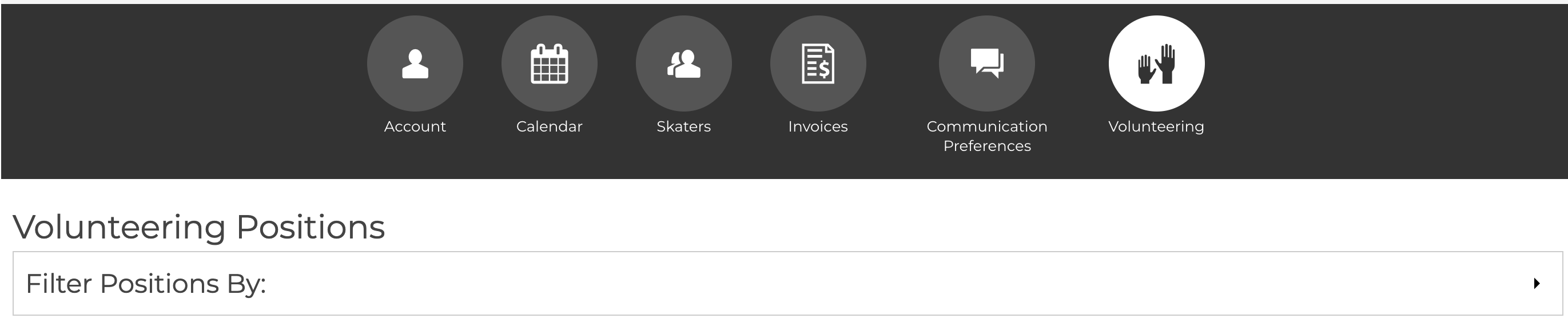
- Login to your account on Uplifter and click the "Volunteering" section.
- In the "Volunteering Positions" section below the Filter, all the upcoming volunteer positions you have applied for OR past volunteer positions that haven't been marked completed will be listed.
Calculating Accumulated Credits/Hours
- Login to your account on Uplifter and click the "Volunteering" section.
- In the "Volunteering Positions" section, click the "Filter Positions By:" section, remove the "check" from "Show Uncompleted Positions Only", add the "check" in the checkbox for "Show Completed Positions only", and click the "Filter" button.
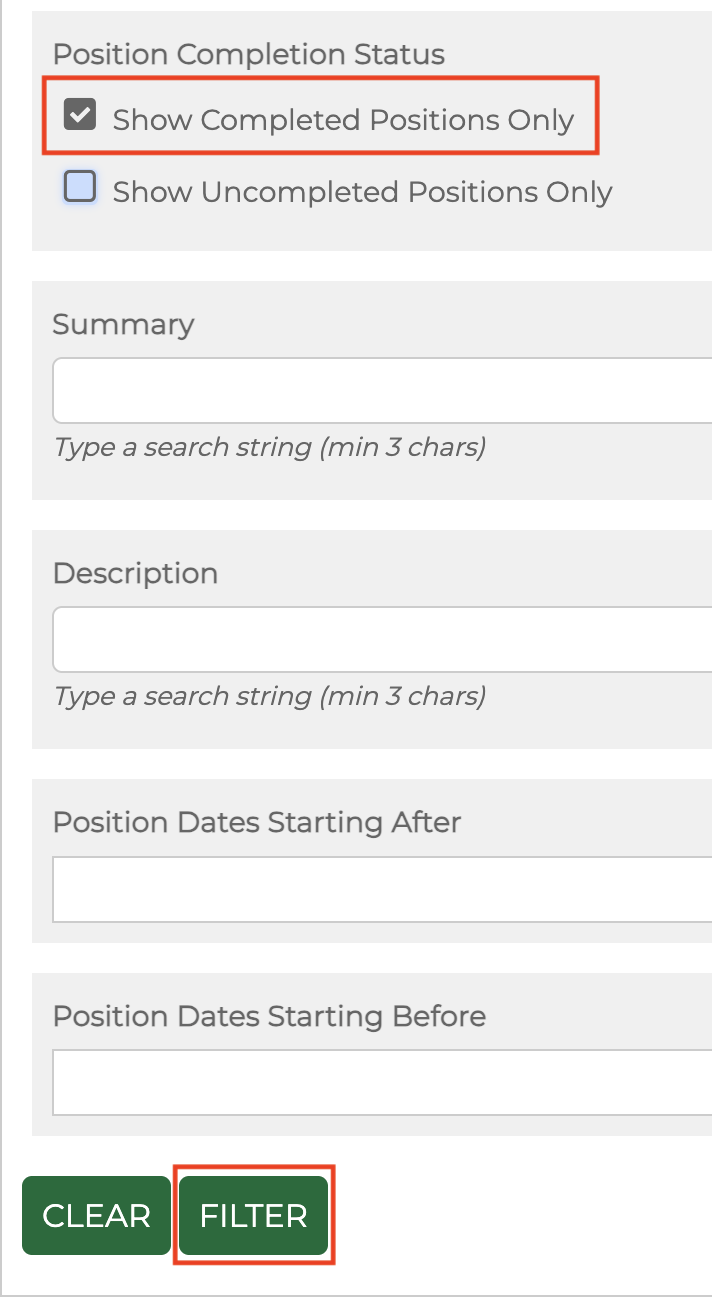
- The filtered positions displayed will be positions that have been marked completed by the Volunteer Coordinator. You will need to total all the credits for the positions listed in order to obtain your current credit total. As a reminder, each credit (1) is equivalent to 15 mins.